


National Parks: Passport Guide
3.938.00 Reviews
App Specs
- Version
- 1.32.0
- Updated On
- License
- Free
- Downloads
- 10,000+
- Developer
- Code200
- Categories
- Travel & Local
- Platform
- Android
Screenshots
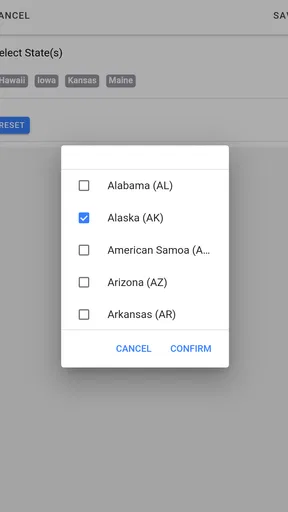
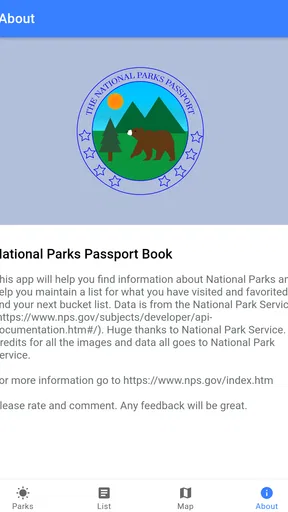
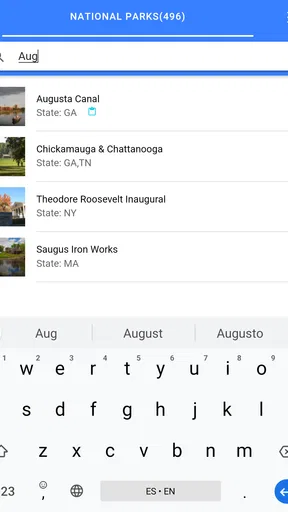
 Analysis by AppCompare
I approached National Parks: Passport Guide as a practical travel companion rather than a simple list of destinations. The idea is appealing: keep a digital record of national park visits, prepare for trips, look up park information, and locate campsites from one place. In my experience, that combination makes the app most useful before and during a trip, when I want a quick reference instead of several browser tabs and a paper notebook.
It is a free Travel & Local app from Code200, with optional in-app purchases ranging from $1.99 to $6.99 per item. The app is rated for Everyone, so it is suitable for families as well as solo travelers. Its average rating is 3.9 from around 66 ratings, and it has passed 10K+ installs. Those numbers suggest a small but established audience rather than a massive travel platform, which matches my impression: this feels like a focused utility for people who enjoy collecting park visits and planning road trips.
Where the experience can become confusing
The first thing I would tell a new user is not to expect a full replacement for an official park website, navigation app, weather service, or reservation system. The passport concept is the center of the experience. It gives structure to a national parks journey, while the supporting information helps with preparation. That distinction matters because a traveler who expects complete trip management may find the app narrower than anticipated.
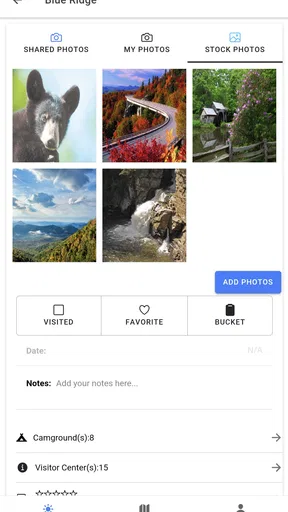
The most natural use is to open it while deciding which parks to visit, check the information available for a destination, look for nearby camping possibilities, and then mark the visit in the digital passport after arriving. That creates a satisfying record over time. It also gives families a simple way to turn a long road trip into a collection project, especially when children enjoy seeing which places have already been visited.
Where users may get stuck is in the gap between browsing and acting. Finding a park in an app does not automatically solve the practical questions that determine whether a trip works: road conditions, opening arrangements, campsite availability, changing weather, fuel stops, accessibility, and local restrictions. I would use the guide to organize the trip, then verify time-sensitive details through the relevant official source before leaving.
Another small friction point is the difference between recording a visit and proving one. A digital passport is a personal travel log, not necessarily an official admission record or a reservation document. I like it for memory keeping and progress tracking, but I would not rely on it as evidence of a booking, permit, payment, or entry status.
The app’s modest audience can also shape expectations. A 3.9 average is respectable but not a guarantee of a perfectly smooth experience on every device. If a screen feels slow, a park entry does not appear as expected, or a saved item seems absent, I would first check the simple causes before assuming the entire service is broken.
Worth Reading Before You Choose

Flipboard Shows What News Apps Must Do Beyond the Feed

Switching to Android Auto Means Rethinking Your Driving Routine

Google Calendar Makes a Crowded Week Easier to Manage

Ludo King Makes the Most of the Minutes Between Plans

Baby Panda World Brings Quick Play to Modern Phones, but Its Game Library Feels Busy

ESPN’s Live Game View Makes Following Close Games Easier
What to clarify before the first trip
Before building an itinerary around the app, decide what you want it to do for you. If your priority is collecting visits and keeping a lightweight park journal, it fits well. If your priority is turn-by-turn directions, live closures, detailed trail navigation, or booking a campsite, it should sit beside more specialized tools.
I also recommend treating the information as a planning layer rather than the final authority for changing conditions. Park operations can change quickly, and a guide designed for broad discovery may not reflect every last-minute update. This is not a criticism of the passport idea; it is simply the sensible boundary between a travel organizer and an official operational channel.
One useful habit is to prepare a short offline note before leaving: park name, intended campground, reservation details if applicable, emergency contacts, and the address or coordinates needed for navigation. That way, the digital passport remains useful even if connectivity becomes unreliable, without forcing it to carry responsibilities it was not designed to handle.
Setup checks that prevent avoidable trouble
The app supports devices running Android 6.0 or later, which covers a broad range of phones and tablets. Even so, compatibility is more than an operating-system number. A device with limited free storage, an outdated system component, aggressive battery management, or an unstable connection can make an otherwise suitable app feel unreliable.
My first setup check would be to install the current version shown for the app, which is 1.32.0, and then open it while connected to a dependable network. I would give the initial screens time to load instead of immediately switching between apps. Travel tools often need a moment to populate content, and rushing through the first launch can make a temporary loading state look like missing information.
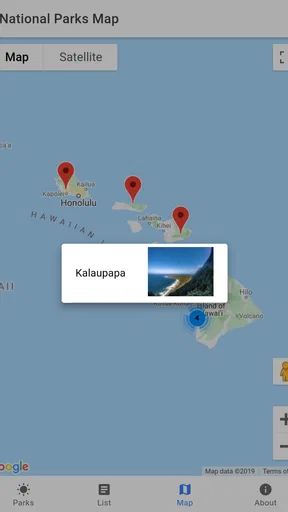
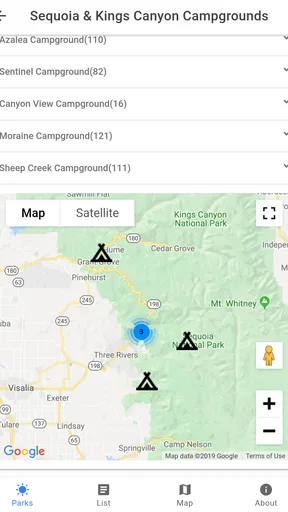
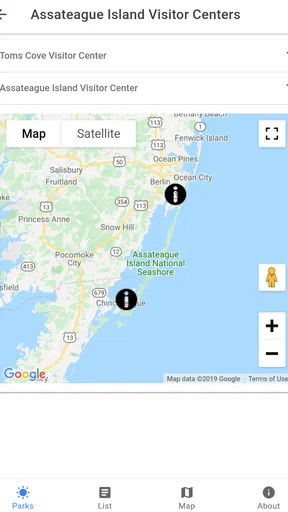
Next, I would browse several destinations before relying on the app for a real trip. Open a familiar park, search for a second destination, inspect the campsite information, and try the passport workflow. This simple test reveals whether the app behaves properly on your device and helps you learn where visit records are added or reviewed.
If you plan to use the app with children or as a shared family travel log, decide in advance whose device will hold the main record. Moving between several phones can create confusion about which device contains the latest progress. Keeping one primary device for the passport is a practical way to avoid duplicate entries or uncertainty after a busy day outdoors.
The optional purchases deserve a quick explanation before you tap through any payment screen. The app itself is free, while individual in-app purchases fall between $1.99 and $6.99. I would explore the free experience first and only pay after understanding what an item adds to my particular workflow. That prevents a common travel-app mistake: buying extras before knowing whether they solve a real problem.
Because the content rating is Everyone, the app is approachable for a broad audience, but that does not mean every trip decision can be delegated to it. A child can enjoy the collecting aspect, while an adult should still handle reservations, route safety, weather checks, and any official requirements.
A better preparation routine
I found the most sensible setup routine to be deliberately boring. Install the app at home, connect to a stable network, look up the parks on the itinerary, and make a separate note of anything that must be available at the destination. Then open the app again before departure so you know whether the information you care about is easy to reach.
This approach offers a non-obvious advantage: it separates discovery from verification. The guide is good at helping me remember a destination and think about campsites, while official channels and dedicated navigation tools handle the details that can change. Mixing those jobs together is what usually creates disappointment.
I would also avoid making the first test during a remote drive. If the app has not been opened since installation, a weak signal at the park entrance is the worst possible moment to learn how it behaves. A few minutes of testing at home can show whether your intended workflow is clear and whether you need a paper or phone-based backup.
Recovering the workflow when something goes wrong
When a park does not load, a campsite detail appears incomplete, or a visit does not seem to register, I would work through the problem in a fixed order. First, check the connection and wait briefly. Then close and reopen the app, return to the same destination, and see whether the information appears consistently. This basic sequence distinguishes a temporary loading issue from a repeatable problem.
If the app behaves normally elsewhere but one item remains troublesome, try a different search path rather than repeatedly tapping the same screen. For example, return to the broader park list and open the destination again. A clean navigation path can sometimes recover a screen that was interrupted during loading, and it avoids creating multiple accidental actions.
For a visit record, I would check the passport carefully before attempting to add the same park again. Duplicate tapping is an easy mistake when a confirmation is slow or unclear. If the visit is already present, the problem was probably visibility rather than saving. If it is not present, retry once after reopening the relevant section, then keep a simple written note so the memory is not lost while troubleshooting.
That backup is more important than it sounds. The real value of a passport is cumulative, and a long trip may include several parks in one day. I would jot down the date and destination in a phone note or small notebook until I can confirm the digital record. This is a practical safeguard, not an indictment of the app; outdoor travel often involves distractions, poor reception, and a phone battery that needs to last for emergencies.
If an optional purchase does not appear as expected, I would avoid buying it again immediately. Confirm that I am using the same device account and check whether the app needs to be restarted before trying another action. Keeping the transaction information available is sensible if further support is needed. The important point is to troubleshoot calmly rather than turning a delayed screen into a duplicate charge.
For repeated crashes or a feature that fails every time, the useful report is specific: device type, operating-system version, the park or section involved, what action was taken, and whether the issue occurs on a stable connection. Vague reports are harder to act on. Since Code200 is the developer, that is the name I would look for when seeking the app’s support route.
How I would use it on an ordinary park day
Imagine a family leaving early for a weekend road trip. At home, I would use the app to review the planned parks and identify camping information worth checking. During the drive, I would keep navigation in the tool designed for navigation rather than repeatedly switching to the passport. After arriving, I would enjoy the park without trying to document every moment immediately. Later, when the phone is charged and the group is settled, I would record the visit and review what comes next.
This workflow reduces two kinds of friction. It keeps the app from competing with navigation while driving, and it avoids making a weak signal at a trailhead responsible for preserving the trip record. The passport becomes a calm end-of-day ritual instead of another task during arrival, parking, or check-in.
A second useful scenario is long-term trip planning. I might browse destinations during the winter, use the app to remember which parks interest me, and then return to the list when planning a spring route. The digital record gives that process continuity. It is less about finding one perfect itinerary and more about maintaining a personal map of future possibilities.
When the app is not the cause
Some apparent failures are really environmental. A remote park can have weak or absent connectivity, and a campsite page that loads slowly may reflect the location rather than the app. Likewise, a phone in low-power mode may delay background activity or make switching between screens feel sluggish. Before reinstalling anything, I would test the same action at home on a stable network.
Navigation confusion is another common example. A passport guide can point me toward a destination or camping information, but the final route may depend on road closures, seasonal access, vehicle restrictions, or a map provider’s interpretation of a remote road. If the route looks unsafe or implausible, I would trust current local guidance and a dedicated navigation source over any general travel listing.
Weather creates a similar boundary. A pleasant forecast at home does not guarantee safe conditions at elevation, in a desert, or along an exposed trail. The app can help me think about where I want to go, but it should not be my only basis for deciding whether to travel. I would check current weather and official park notices close to departure.
Campsite information also needs careful handling. Seeing a campground in a guide does not necessarily mean a space is available when I arrive. Availability, seasonal operation, reservation rules, and local restrictions can change. I would use the app to identify possibilities, then confirm the practical details before committing to a route.
These limits are especially important for travelers who want one application to manage every part of a trip. In that case, a broader travel planner or an official park service resource may be a better primary tool. I would still consider keeping this app for the passport aspect if I enjoy collecting visits, but I would not make it the sole source for safety-critical decisions.
Who will appreciate it most
The strongest audience is a traveler who likes national parks, takes several trips over time, and wants a simple record of progress. Families may enjoy the visual sense of completion, while road-trippers can use the destination and campsite information to shape a route before switching to other tools for execution.
It is also a good fit for someone who dislikes maintaining a paper passport. A digital record is easier to keep with the phone already used for travel, and it avoids carrying another booklet that can be forgotten or damaged. The trade-off is that the record depends on the app and device, so a lightweight backup remains wise for important trips.
I would recommend skipping it as a primary travel tool if your needs center on detailed trail maps, live navigation, real-time alerts, complex reservations, or comprehensive offline planning. Those requirements call for specialized services. The app makes more sense as the personal collection and planning layer in a small travel toolkit.
My practical verdict after using the guide
National Parks: Passport Guide has a clear personality. It is not trying to be every travel service at once; its appeal comes from combining a digital visit record with destination discovery and campsite-oriented planning. That focus makes it pleasant for park enthusiasts, particularly people who want their trips to build into a lasting collection rather than disappear into old photo folders.
I like the way the passport idea encourages repeat use. A normal search for a park ends when the trip is over, but a visit record gives me a reason to return and plan the next destination. The app’s free entry point makes it easy to test that habit, while the optional purchases give users a chance to decide whether extra content is worth paying for instead of committing immediately.
My reservations are practical rather than fundamental. I would not use it as proof of reservations, a substitute for official updates, or my only navigation and safety resource. New users should also test the workflow at home, keep one main device for their records, and make a backup note during trips where connectivity may be poor. Those small habits remove most of the avoidable frustration.
The app was released on Aug 7, 2019, and its current version is 1.32.0. That gives it a longer presence than a brand-new travel experiment, while the relatively small install base means I would keep expectations realistic about polish and breadth. Still, the core concept remains useful: use it to remember and organize park adventures, not to replace every service needed to carry them out.
My final recommendation is straightforward. If you want a friendly digital passport for national park visits and appreciate having park and campsite information nearby, I think it is worth trying on an Android device that meets the minimum requirement. If you mainly need live operational data, detailed outdoor navigation, or guaranteed booking information, choose a more specialized tool first. For the right traveler, this app is a useful companion precisely because it gives the journey a sense of continuity.
Pros
- Covers many U.S. national parks in one convenient guide.
- Useful park details help with trip planning and preparation.
- Offline access can be helpful in areas with limited mobile service.
- Simple design makes browsing park information quick and easy.
- A handy reference for travelers visiting multiple parks.]
- contras:[
- Information may not reflect recent closures or changing park conditions.
- Coverage and detail can vary considerably between individual parks.
- Some features may require location services or an internet connection.
- It is not a substitute for official park alerts
- maps
- or regulations.
- The app may feel less useful for users focused on parks outside the U.S.
Cons
- Information may not reflect recent closures or changing park conditions.
- Coverage and detail can vary considerably between individual parks.
- Some features may require location services or an internet connection.
- It is not a substitute for official park alerts
- maps
- or regulations.
- The app may feel less useful for users focused on parks outside the U.S.
FAQs for National Parks: Passport Guide
What is National Parks: Passport Guide?
National Parks: Passport Guide is a travel companion designed for people who want to explore national parks and keep track of their visits. It typically provides park information, location details, planning resources, and passport-style progress features. After reviewing the app, its main appeal is the combination of trip preparation and personal record keeping, making it useful for both first-time visitors and dedicated park travelers.
Can I use National Parks: Passport Guide without an internet connection?
The app may offer useful information while you are traveling, but you should not assume that every feature works offline. National parks often have limited or unreliable mobile coverage, so it is wise to open the pages you need before leaving and save important details separately. Downloading maps, directions, regulations, and reservation information in advance can make the app more dependable in remote areas.
Does the app include information for every national park?
National Parks: Passport Guide is intended to cover a broad selection of national parks, but the amount and type of information can vary from one park to another. Some entries may provide more complete details about attractions, facilities, activities, or visitor guidance than others. Before planning a specific trip, check that the park you want is listed and confirm important information through the official park website.
Is National Parks: Passport Guide free to download and use?
The availability of free features, optional purchases, advertising, or subscription-based tools depends on the current version of the app and the platform where it is downloaded. Basic browsing or passport tracking may be available without payment, while additional content could require an upgrade. Review the store listing and in-app purchase information carefully before downloading, especially if you only need simple park details.
Is this app a replacement for official national park information?
No. National Parks: Passport Guide can be convenient for discovering parks, organizing visits, and recording your travel history, but it should not replace official sources. Park conditions, closures, permits, entrance fees, weather warnings, camping rules, and safety requirements can change quickly. Always verify current information with the relevant park service before traveling, and follow posted instructions once you arrive.


